Chapter 8 — Export Formats
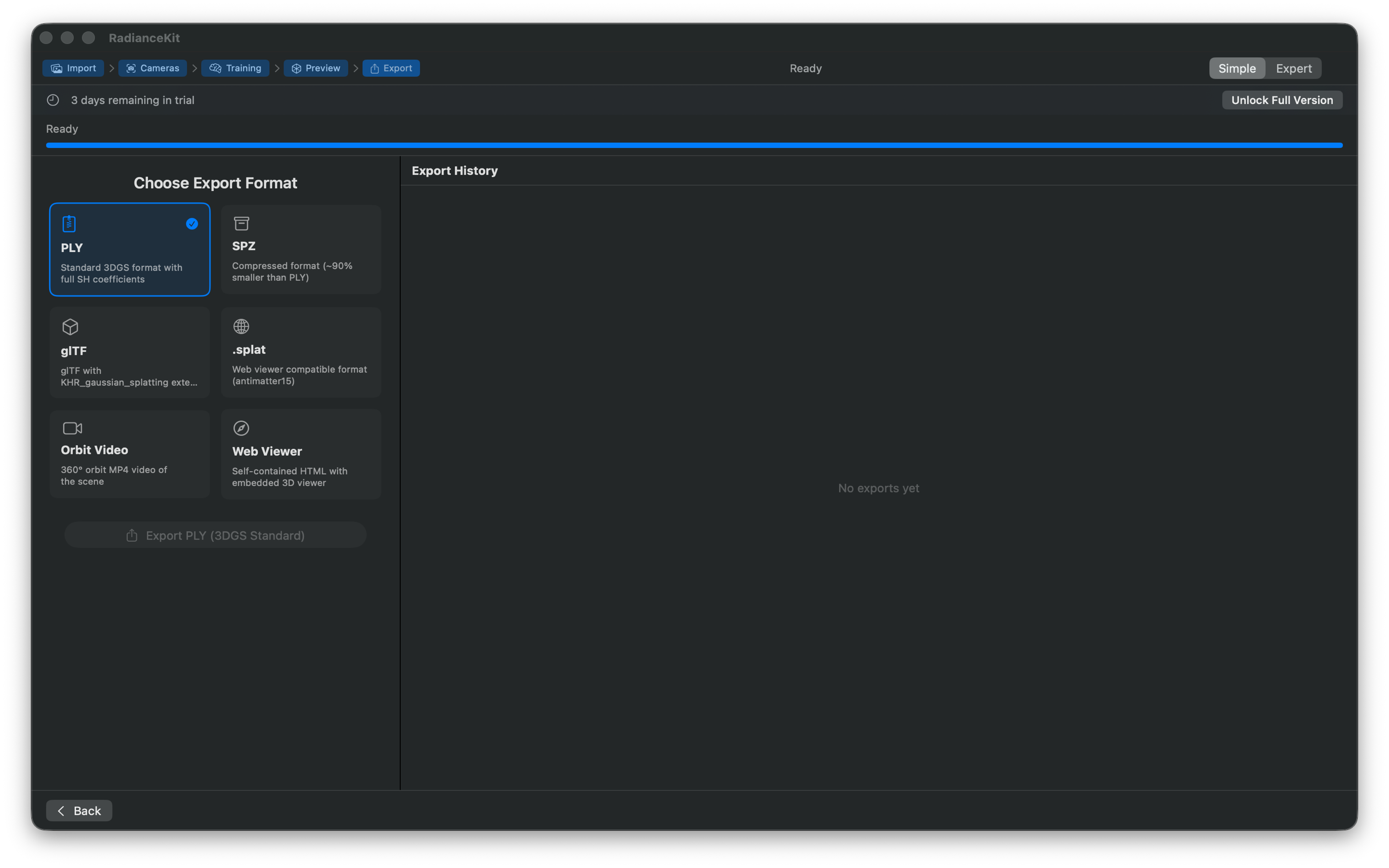
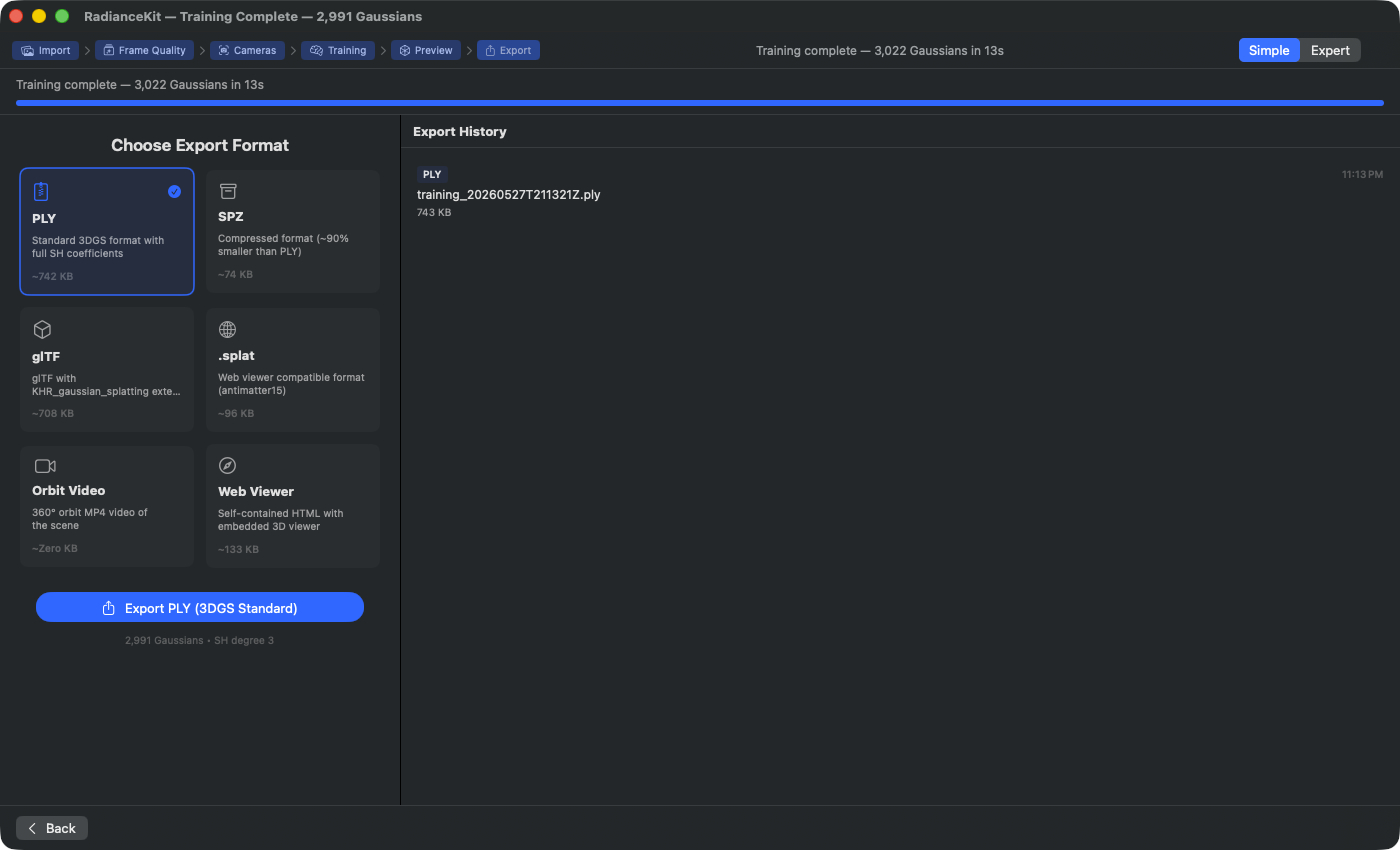
What's in the image (2 991 Gaussians, SH degree 3, Bjoern's synthetic Blender bouquet as IP-clean test set): The size figures under each format card are calculated live from current Gaussian count and format overhead — not hardcoded. From 2 991 Gaussians (SH degree 3) you get 742 KB PLY, 74 KB SPZ (factor ~10× smaller due to quantization), 708 KB glTF (with KHR_gaussian_splatting extension, therefore almost PLY-equivalent), 96 KB .splat (compressed 24-byte-per-Gaussian format). Orbit Video shows „~Zero KB", because the size is only known after MP4 encoding. Web Viewer (133 KB) bundles a standalone HTML file with embedded WebGL viewer and compressed splat data — larger than pure .splat due to viewer overhead. Export History on the right lists already completed PLY export („training_20260527T211321Z.ply, 743 KB, 23:13") with format pill and Reveal-in-Finder action.
A completed training delivers a Gaussian cloud — a collection of a few hundred thousand to millions of 3D Gaussian distributions that together reconstruct the scene. RadianceKit knows ten ways to write this cloud to disk. Six of them are pure 3D data formats (PLY, Compressed PLY, SPZ, SOG, glTF, .splat), one bundles the cloud together with a ready HTML viewer (Web Viewer), one renders an MP4 file from an Orbit camera path (Orbit Video), and two export no Gaussian content but only the SfM result (camera poses and rough point cloud) for reuse in other training pipelines (transforms.json + COLMAP Workspace).
Which format is the right one when depends on the goal. For archiving the full data without quality loss you take PLY. For web viewers on your own page, .splat or the built-in Web Viewer is usually enough. If the file has to be minimal, SPZ or SOG is worthwhile. For reusing the SfM result in Nerfstudio, Postshot or Brush, transforms.json and the COLMAP Workspace are the right ways.
All export functions are located in the „Export" menu as well as in Simple mode on the last wizard stage. Most formats are fully sandbox-compliant and work in the App Store version. Only SOG requires an external binary (cwebp), which is not necessarily present in the App Store build — details see E4.
E1 — PLY (.ply)
WHERE
Menu bar → Export → 3D Formats → Export PLY… (⌘E). Simple mode: wizard step Export → format card „PLY". Size: typically 100 % (reference value). Compatible with: SuperSplat, PolyCam, all 3DGS viewers.
TECHNICAL
PLY is the canonical storage format for 3D Gaussian Splatting. RadianceKit writes a binary little-endian file with the standardized 3DGS property layout: per Gaussian three-component position, three normals always set to zero, three DC SH coefficients (f_dc_0..2) for the base RGB color, followed by up to 45 further SH coefficients (f_rest_0..44) in the transposed channel-major arrangement defined by the Kerbl 2023 paper (first all R-channel coefficients, then all G, then all B), followed by logit opacity (raw pre-sigmoid values), three log-space scales and a wxyz quaternion rotation. The maximum exported SH degree is clamped to the minimum of user wish and actually learned degree; default is 3 (45 rest coefficients). Before writing, the payload size is calculated in 64-bit integer to catch overflow on extremely large clouds. The file is written atomically, which on large clouds briefly occupies double the disk space.
E2 — Compressed PLY (.ply)
WHERE
Menu bar → Export → 3D Formats → Export Compressed PLY…. Simple mode: format card „Compressed PLY". Size: approx. 10–20 % vs. PLY (5- to 10-fold compression). Compatible with: SuperSplat, PlayCanvas engine, web-based viewers.
TECHNICAL
The PlayCanvas variant of the PLY format with chunked quantization. The Gaussians are grouped in chunks of 256. Per chunk, min/max bounds for position, scale and color are stored separately in the header; the individual Gaussians reference their values relative to these bounds and are compressed to 32 bits each: position and scale with 11-10-11-bit packing, rotation as 2-10-10-10-bit „Smallest-Three" quaternion, color as 8-8-8-8 RGBA. Higher SH coefficients are quantized with only 8 bits per component (shCoeffCount * 3 uchar per Gaussian). The format itself is still ASCII-header PLY and therefore in principle validatable with PLY tools, but the vertex properties are declared as uint fields. SH degree is by default 0 (no rest coefficients) to maximize compression — higher SH degrees can be selected explicitly.
E3 — SPZ (.spz)
WHERE
Menu bar → Export → 3D Formats → Export SPZ…. Simple mode: format card „SPZ". Size: approx. 10 % vs. PLY (90 % smaller). Compatible with: Niantic Scaniverse, Niantic Spatial Fields, MetalSplatter.
TECHNICAL
Niantic's SPZ v2 format. Positions are packed as 24-bit fixed-point (which yields approx. 0.25 mm resolution), scales as 8-bit quantization in log space, rotations as 8-bit Smallest-Three (in v2 only xyz is stored, w is derived in the decoder from the quaternion norm), opacities as sigmoidized 8-bit values. DC SH is stored with an SPZ-specific pack formula (dc_raw * 0.15 * 255 + 0.5 * 255), higher SH bands with 5 bits (band 1) or 4 bits (band 2-3) per coefficient. The entire packed binary blob is then compressed with standard gzip (RFC 1952), which yields a gzipped container format with magic bytes 1f 8b. RadianceKit invokes the system gzip for this, because Apple's built-in zlib API generates proprietary Apple framing that would not be compatible with the SPZ readers in Spatial Fields or MetalSplatter. The system gzip also remains spawnable within the macOS sandbox.
E4 — SOG (.sog)
WHERE
Menu bar → Export → 3D Formats → Export SOG…. Simple mode: format card „SOG". Size: approx. 5–6 % vs. PLY (15- to 20-fold compression — the smallest option). Compatible with: PlayCanvas engine, SuperSplat editor.
TECHNICAL
„Spatially Ordered Gaussians" — a PlayCanvas format that stores the cloud GPU-ready in several lossless WebP images. First all Gaussians are spatially sorted via 3D Morton code (30-bit Z-order, 10 bits per axis each), which gives the images later cache locality in the renderer. Then positions are quantized to 16-bit values with symmetric log transformation (for better dynamic range) and split into two RGBA images (means_l.webp for the lower 8 bits, means_u.webp for the upper). Rotations are encoded as Smallest-Three with 3×8-bit plus 2-bit mode in an RGBA image (mode lands in alpha as 252 + largest). Scales and DC SH are each quantized with a 256-entry codebook (percentile-based distributed over all values), the indices end up in scales.webp and sh0.webp. The five images plus a meta.json with codebooks and bounds are packed into a ZIP file (custom encoder because the sandbox blocks the system zip) and saved with the extension .sog.
Sandbox warning: SOG is the only format option that requires an external binary. The WebP encoder stage calls cwebp from /usr/local/bin/cwebp or /opt/homebrew/bin/cwebp. If no cwebp binary is found, the code falls back to raw PNG encoding — but: PNG fallback does not work in SuperSplat. In the App Store version, evaluate availability based on the build variant; in the developer variant cwebp must be installed via Homebrew (brew install webp).
E5 — glTF (.glb)
WHERE
Menu bar → Export → 3D Formats → Export glTF…. Simple mode: format card „glTF". Size: comparable to PLY. Compatible with: glTF viewers with KHR_gaussian_splatting extension (Khronos draft standard).
TECHNICAL
Writes a self-contained .glb binary file (no separate bin file attachment) per the KHR_gaussian_splatting extension specification. Positions are stored as regular glTF POSITION vertex data (float3), all other attributes (rotation as float4, scale as float3, opacity as float, SH coefficients as float3 × shCoeffCount) lie in additional vertex attributes and are referenced via the extension. Important: glTF uses a right-handed Y-up coordinate system, COLMAP/3DGS works Y-down/Z-forward. The exporter therefore applies a 180-degree rotation around the X axis — positions are rewritten as (x, -y, -z), quaternions are adjusted to (w, x, -y, -z). This yields a geometrically correct, handed (not mirror-inverted) display in glTF viewers. JSON and binary chunks are padded to 4-byte alignment as required by the GLB standard.
E6 — Splat (.splat)
WHERE
Menu bar → Export → 3D Formats → Export .splat…. Simple mode: format card „.splat". Size: exactly 32 bytes per Gaussian. Compatible with: gsplat.js, web-based viewers (antimatter15 reference), most browser 3DGS demos.
TECHNICAL
The antimatter15 .splat format — 32 bytes per Gaussian, no header, no indirection. Layout per entry: 3 × float32 position (world coordinates), 3 × float32 scale (exp-transformed from the log space of the internal buffer), 4 × uint8 RGBA color (DC SH coefficient scaled with SH_C0 = 0.282... and clamped to [0,255]), 4 × uint8 quaternion (w,x,y,z, normalized and encoded into the byte range as 128 + 128*q). Only DC SH is stored — higher SH bands are discarded. This makes the format extremely compact, but costs the view-dependent color changes that occur with reflections or specular highlights. The write order is exactly the index order of the cloud (no spatial sorting), web viewers like gsplat.js render based on that assumption.
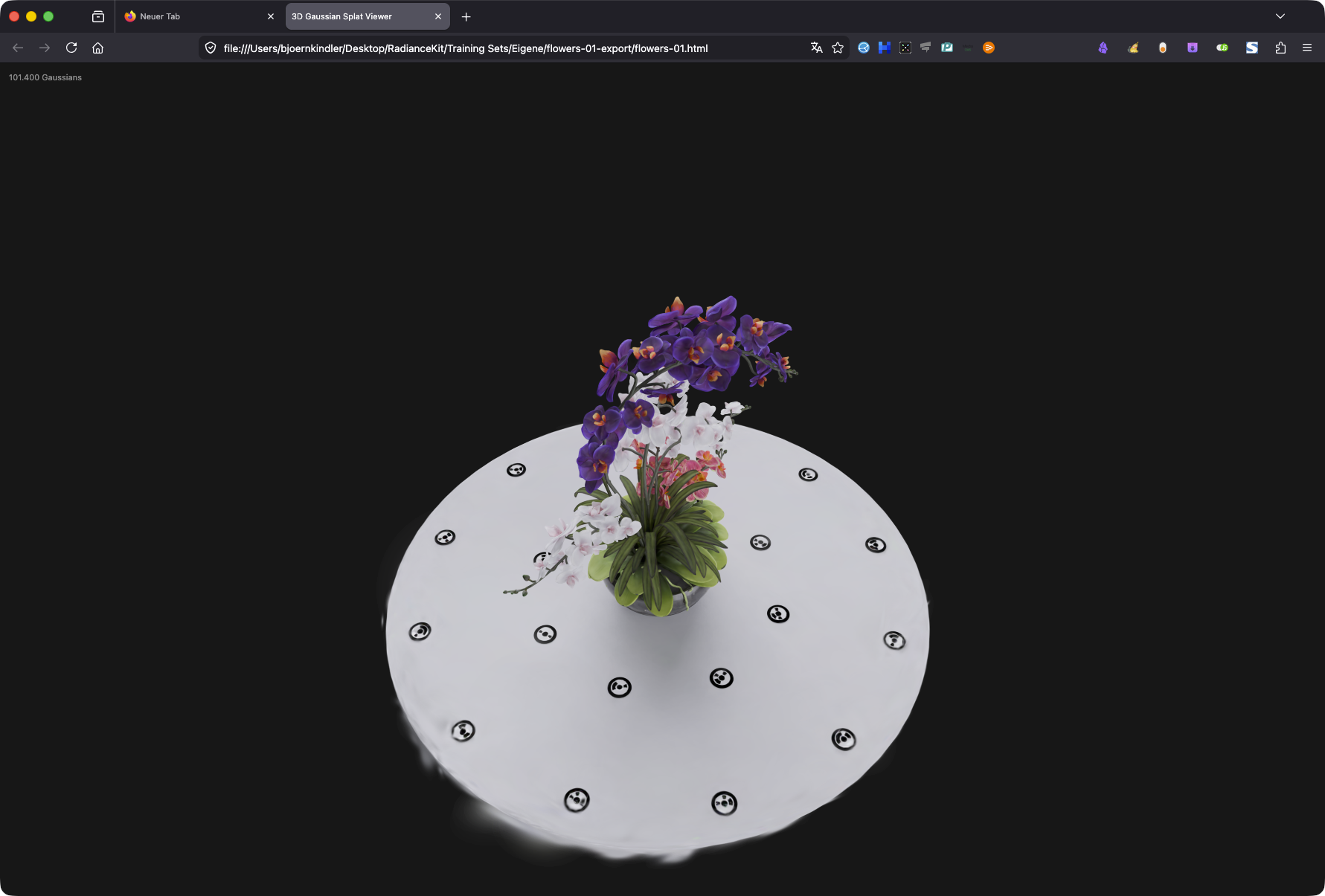
flowers-01.html opened directly from the Finder by double-click in the default browser — the embedded WebGL2 program renders the Gaussian cloud immediately, without network or server. The black markers around the bouquet are the training cameras, optionally toggleable. Mouse drag rotates, scroll zooms.E7 — Web Viewer (.html)
WHERE
Menu bar → Export → Media → Export Web Viewer…. Simple mode: format card „Web Viewer". Size: splat data base64-encoded (≈ 4/3 overhead) + approx. 5 KB HTML/JS shell. Compatible with: any modern browser with WebGL2 (all desktops, iOS 15+, Android 5+).
TECHNICAL
Bundles the Gaussian cloud together with a fully inline written WebGL2 renderer into a single .html file. There are no CDN dependencies, no WASM, no second file. The cloud is internally first encoded as .splat binary (same 32-byte logic as E6), then base64-embedded, then decoded with atob in the browser. The built-in renderer does its own WebGL2 sorting, mouse orbit controls and CPU sorting per frame; the entire JS code (shader, math, loop) is visible in the output HTML. The axis convention at the storage-to-renderer boundary is exactly the same as in E5: position (x, -y, -z), quaternion (w, x, -y, -z). Optionally a branding overlay can be shown (free-tier toggle). Since everything is inline, the file also works directly from the file:// protocol — no local web server needed for testing.
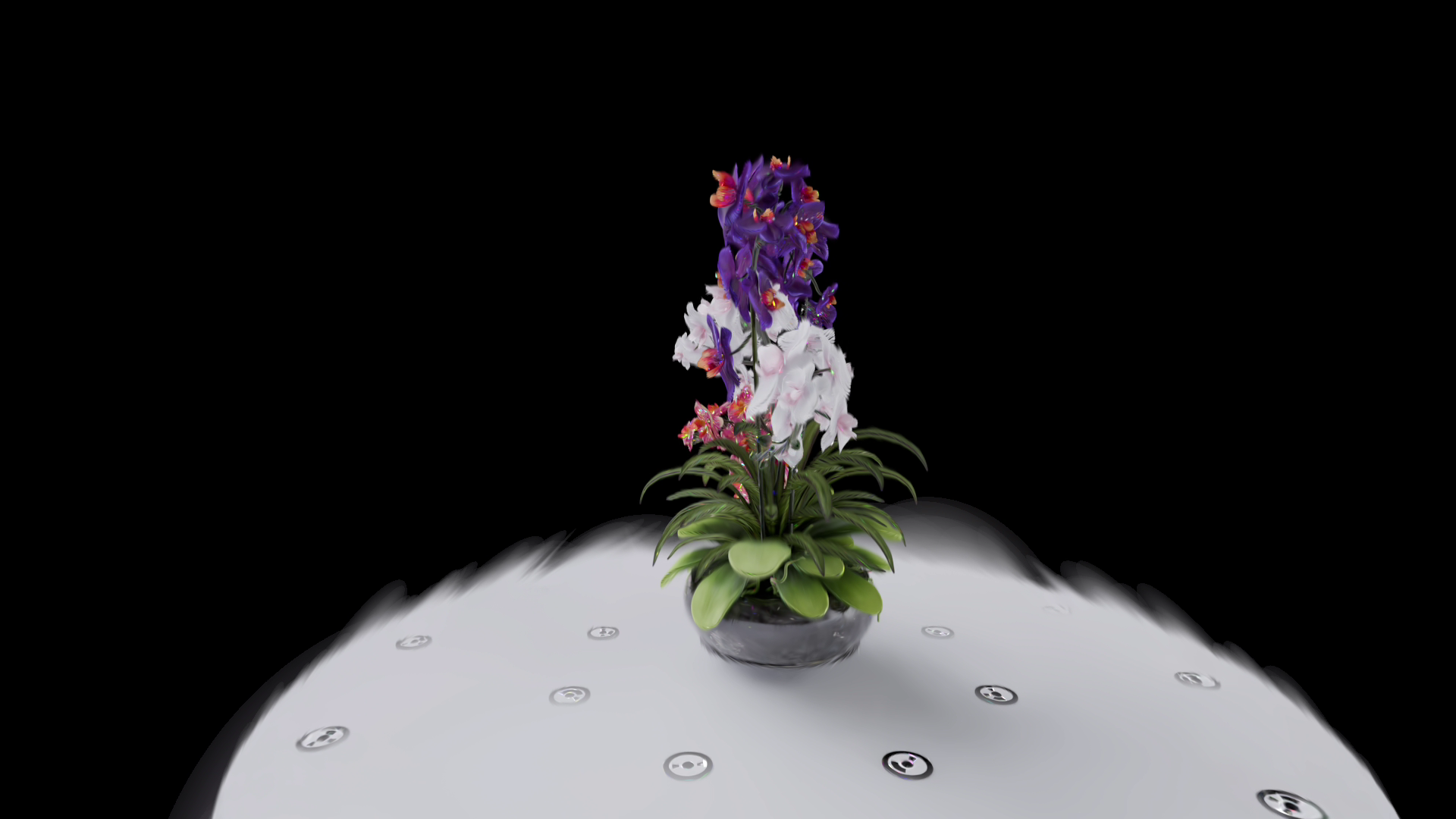
E8 — Orbit Video (.mp4/.mov)
WHERE
Menu bar → Viewport → Record Turntable Video OR Menu bar → Export → Media → Export Orbit Video…. Simple mode: format card „Orbit Video" with duration slider 3–30 s. Size: depends on duration, resolution, bitrate. Compatible with: all platforms (H.264 and HEVC are Apple standard).
TECHNICAL
Renders the Gaussian cloud along a parametric Orbit camera path and encodes every frame via AVAssetWriter into an MP4 or MOV file. The Orbit configuration controls rotation speed (revolutions), distance, elevation, FOV, duration and ease-in/out factor. Per frame, the world adjustment matrix (calculated by the renderer to rotate the internal coordinates into the Y-up Orbit world) is multiplied with the camera, after which the MetalSplatter-specific Y mirroring is applied. The offscreen render target is pulled via IOSurface to a CVPixelBuffer for the encoder. The encoder supports H.264 and HEVC, configurable bitrate and resolution from 480p to 8K. Before the first frame the renderer waits 200 ms so that initial splat sorting is completed. This export is GPU-bound — at 8K and millions of Gaussians the render time per frame is several seconds, so total render times of 10–30 minutes for a 6 s video are possible.
E9 — SfM Transforms (transforms.json)
WHERE
Menu bar → Export → Photogrammetry → Export SfM (transforms.json)…. Size: typically 1–10 KB (only poses + intrinsics, no images, no Gaussians). Compatible with: nerfstudio, Brush, gsplat, OpenSplat, Meshroom, all modern feed-forward 3DGS trainers.
TECHNICAL
Writes the nerfstudio transforms.json format with a list of camera poses plus shared intrinsics. Per camera the view matrix (RadianceKit-internal: World-to-Camera in COLMAP convention) is inverted, after which the camera-local Y and Z basis vectors are mirrored to convert into the nerfstudio convention (OpenGL style, camera looks along -Z, +Y is up). The final 4×4 matrix lands as row-major nested array of doubles in the transform_matrix field of each frame. Intrinsics are stored at the top level (focal length x/y, principal point x/y, image width/height, camera_model = "OPENCV", plus the distortion coefficients k1, k2, p1, p2) — except when the exporter detects multiple different intrinsics sets, then they are written per frame. Image paths are written as images/<filename> relative to the JSON file; the user must create a sibling images/ folder with the training photos.
E10 — COLMAP Workspace (sparse/0/)
WHERE
Menu bar → Export → Photogrammetry → Export SfM (COLMAP Workspace)…. Size: three binary files together typically 4–8 MB — points3D.bin dominates (one line per 3D point of the sparse cloud), images.bin and cameras.bin are each noticeably under 100 KB. Compatible with: COLMAP itself, Nerfstudio, Postshot, Meshroom, all tools that expect a COLMAP sparse/ directory.
TECHNICAL
Writes the standard COLMAP sparse/0/ layout with three binary files: cameras.bin, images.bin, points3D.bin. Format reference is the official COLMAP documentation. cameras.bin contains the deduplicated intrinsics list (cameras with identical intrinsics + image size are merged into a single entry); the camera model used is OPENCV (model 4), with fx/fy/cx/cy plus the four distortion coefficients k1/k2/p1/p2. images.bin lists per image the pose as wxyz quaternion plus translation, followed by the camera ID and the filename; no 2D-3D correspondences are stored. points3D.bin contains the SfM point cloud with position, color (0-255 RGB) and default values for reprojection and track length. Everything is written in little-endian. Re-import into RadianceKit works via the File menu → „Import COLMAP/Metashape Workspace…" (see Q3 in the SfM backend chapter).
Which format when?
| Goal | Format |
|---|---|
| Web viewer on your own page | E7 Web Viewer (.html) |
Web viewer with gsplat.js | E6 Splat (.splat) |
| Pipeline reuse in Postshot / Nerfstudio | E9 transforms.json + E10 COLMAP Workspace |
| SuperSplat edit | E1 PLY or E2 Compressed PLY |
| Niantic Scaniverse / Spatial Fields | E3 SPZ |
| Maximum compression | E4 SOG (cwebp required) |
| Marketing/social video | E8 Orbit Video |
Quick comparison
| Format | Extension | Sandbox | Size (1M Gauss) | Best use |
|---|---|---|---|---|
| E1 PLY | .ply | yes | ~250 MB | Archive, highest compatibility |
| E2 Compressed PLY | .ply | yes | ~40 MB | Web + SuperSplat |
| E3 SPZ | .spz | yes (gzip spawn) | ~40 MB | Niantic + mobile |
| E4 SOG | .sog | conditional (cwebp) | ~20 MB | Maximum compression |
| E5 glTF | .glb | yes | ~250 MB | Khronos pipeline |
| E6 Splat | .splat | yes | ~32 MB | gsplat.js web viewer |
| E7 Web Viewer | .html | yes | ~45 MB | Standalone browser file |
| E8 Orbit Video | .mp4/.mov | yes | variable | Social/marketing |
| E9 SfM Transforms | .json | yes | ~5 KB | Pose handoff |
| E10 COLMAP Workspace | Directory | yes | ~4–8 MB | Pose handoff binary |
Size column are rough reference values for 1 million Gaussians with SH degree 3. Real values vary depending on the compressibility of the scene; SH degree 0 reduces PLY/glTF by a factor of 4.