3D Gaussian Splatting
on Your Mac
Create photorealistic 3D scenes from photos and videos — powered entirely by Apple Metal GPU compute on your Mac. A fast, local alternative to cloud-based NeRF and photogrammetry tools.
A complete Gaussian Splatting workflow on Mac — import, train, edit and export in a single app. No separate tools, no Python, no cloud.

Features
Native GPU Training on Apple Silicon
RadianceKit runs 3D Gaussian Splatting training directly on Apple Silicon using Metal. No cloud upload required — your data stays on your machine. Runs on every Apple Silicon Mac, from M1 to M5, for fast 3D reconstruction from photos.
Simple and Expert Mode
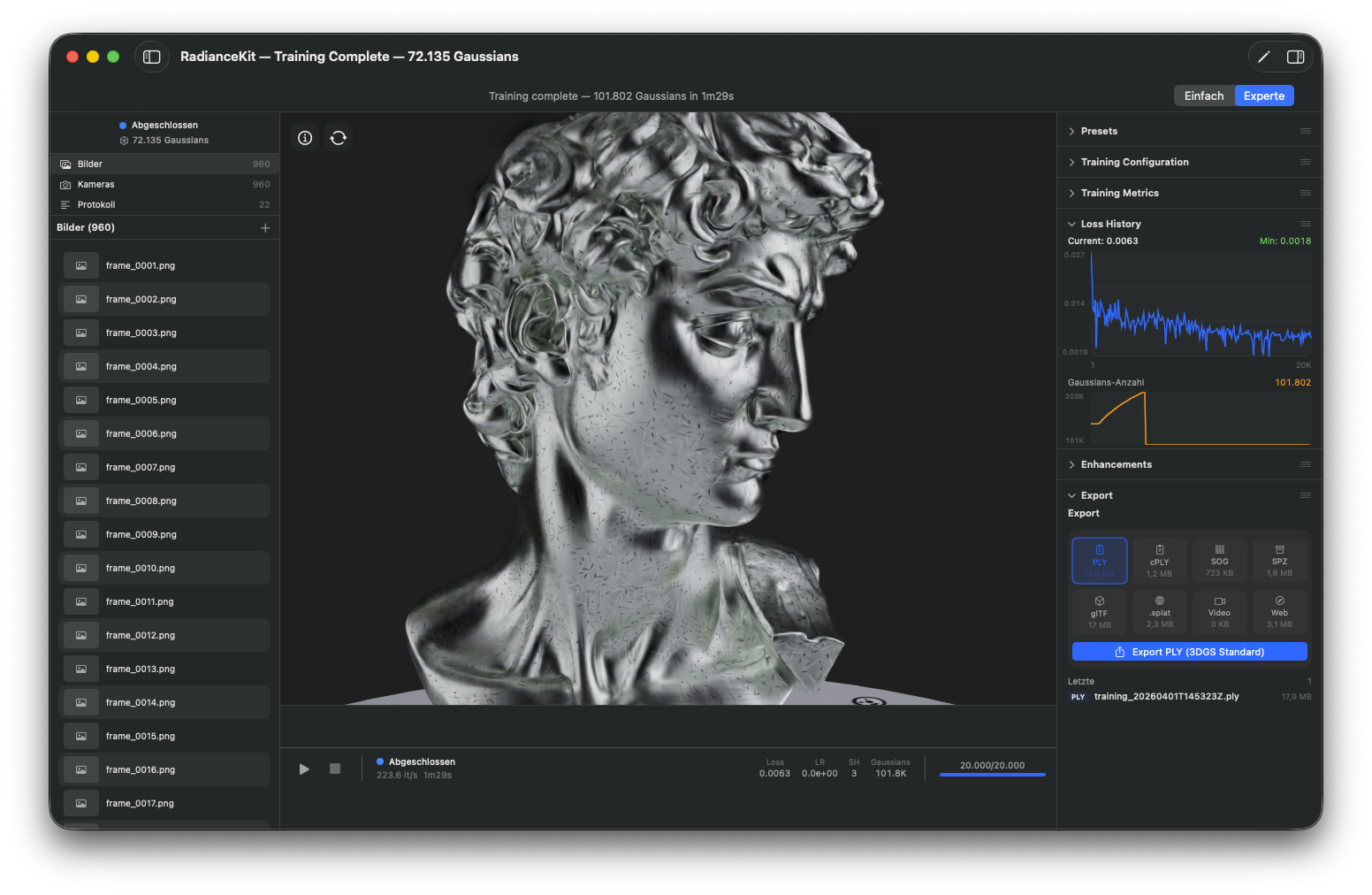
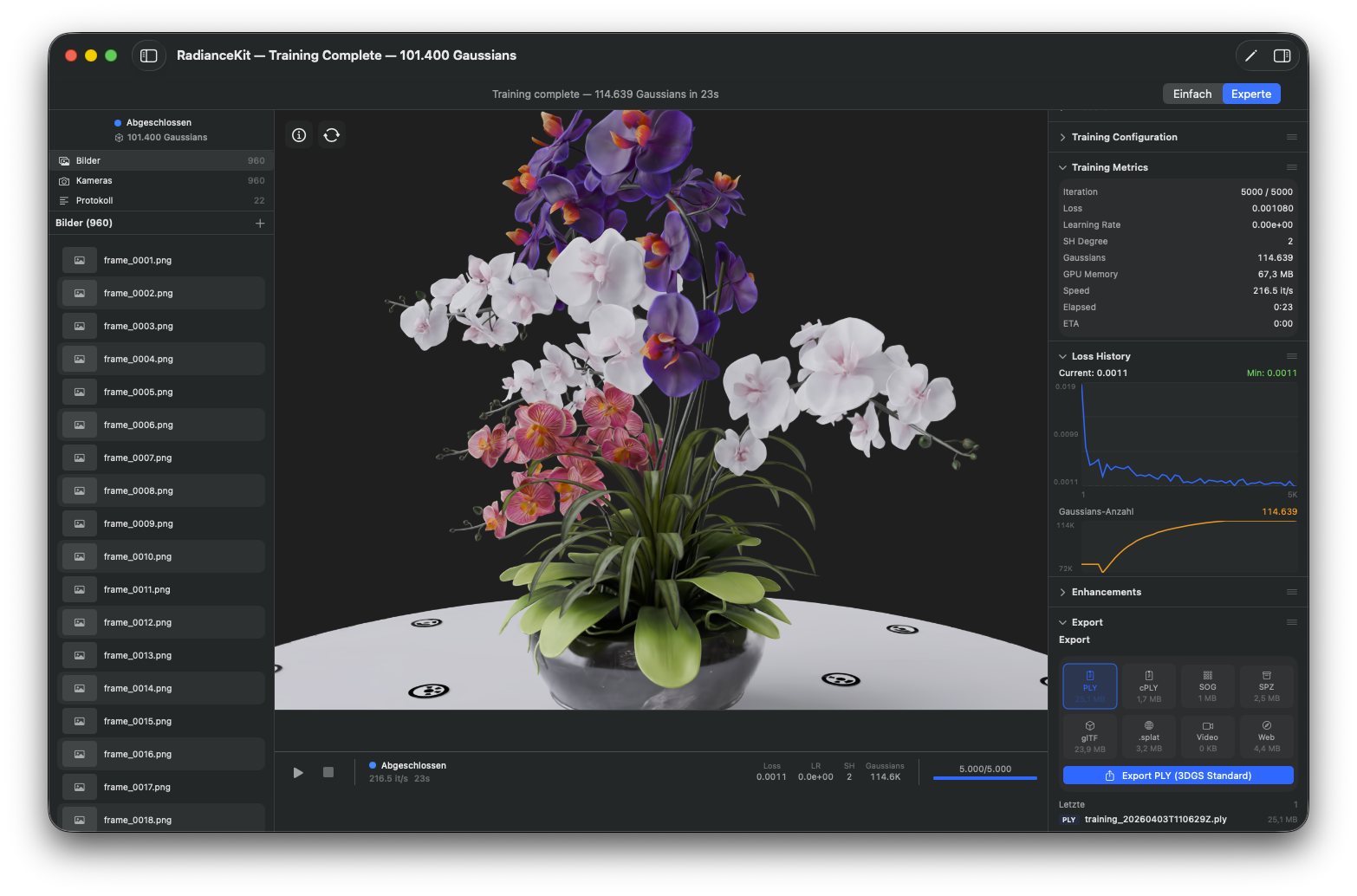
Simple Mode guides you step by step: import photos, press Start, and get a 3D scene. Expert Mode gives you a three-panel layout with project navigator, interactive 3D viewport, and a full inspector for training parameters, live loss curves, and export options — ideal for professional 3D scanning workflows.
360° and Panorama Import
Drop 360° footage straight in — equirectangular, stereo 360° (top/bottom and side-by-side), cubemap, equi-angular cubemap (YouTube), fisheye 180/200° and partial panoramas, as photos or as video. The projection is detected from the file's metadata and can be set by hand whenever that metadata was stripped. RadianceKit unwraps every frame into overlapping perspective views that train like any other capture. Shoot from several positions — a single panorama has no parallax — and a 5.7K or 8K camera pays off, because each 90° view uses only a slice of the source resolution.
Six Export Formats
Export your Gaussian Splatting scenes as PLY, Compressed PLY, SPZ, glTF, .splat, or SOG. Create orbit videos or self-contained interactive web viewers — ready to share without any additional software.
Interactive Gaussian Editor
Select and delete regions directly in the 3D viewport. Remove floating artifacts or unwanted parts of the scene with a brush tool, then undo if needed. Fine-tune your 3D reconstructions with precision.
How It Works
Import
Drop photos or a video into the app
Align
Apple Photogrammetry computes camera positions automatically
Train
Gaussian Splatting creates millions of tiny 3D ellipsoids that represent your scene
Preview
Explore the 3D reconstruction from any angle in real time
Export
Save in your preferred format or share as a web viewer

- Apple Silicon Mac (M1 or later)
- 16 GB RAM recommended
- macOS 26 Tahoe or later
Try Free for 3 Days
Create photorealistic 3D scenes from photos and videos — powered entirely by Apple Metal GPU compute on your Mac. A fast, local alternative to cloud-based NeRF and photogrammetry tools.
Then US$7.99 once — no subscription
Download on the Mac App StoreFrequently Asked Questions
What is 3D Gaussian Splatting?
A technique that reconstructs a real scene as millions of tiny 3D ellipsoids ("splats") from ordinary photos or video. The result is a photorealistic 3D scene you can explore from any angle in real time — a faster, sharper alternative to NeRF and traditional photogrammetry.
Do I need any other tools or a Python setup to use RadianceKit?
No. RadianceKit is a complete Gaussian Splatting workflow in a single Mac app. You import photos or video, align, train, edit and export — all inside the app. There is no command line, no Python environment and no external software to install.
Does RadianceKit run in the cloud or on my Mac?
Everything runs locally on your Mac. Training uses the Apple Silicon GPU through Metal — your photos and 3D scenes never leave your device. No account and no internet connection are required for processing.
What Mac do I need to run RadianceKit?
RadianceKit requires an Apple Silicon Mac (M1 or later) running macOS 26 Tahoe or later. 16 GB of RAM is recommended for comfortably training larger scenes.
How much does RadianceKit cost?
RadianceKit is free to download and includes a 3-day trial of all features. After the trial you can unlock the full version with a one-time in-app purchase of US$7.99 — no subscription and no upgrade fees. Prices are set per region, so your local App Store may show a different amount (8.99 € across the euro zone, for example).
Which file formats can I import?
RadianceKit imports three kinds of files. Source media for training a new splat: video (.mp4, .mov, .m4v, .avi) and photos (.jpg/.jpeg, .png, .heic, .tiff/.tif, .bmp). Existing splats you can open and view without training: .ply, .spz and .splat. And scenes & camera data: RadianceKit scene bundles (.radiancescene), COLMAP workspaces (a folder with sparse/ cameras plus an images folder) and .radiancecapture bundles from the iPhone companion app.
Can I import 360° footage (equirectangular, fisheye, Insta360)?
Yes. RadianceKit imports 360° photos and video natively: equirectangular, stereo 360° (top/bottom and side-by-side), cubemap, equi-angular cubemap (YouTube), fisheye 180/200° and partial panoramas. The projection is detected from the file's metadata, and you can set it manually in the import panel when that metadata was stripped on export. Each frame is then unwrapped into overlapping perspective views before alignment and training. Two limits are worth knowing. A single 360° photo cannot become a 3D scene — depth needs several camera positions, so record a walk-around video or shoot from multiple spots. And raw dual-fisheye containers (.insv, .insp, .360, .lrv) have to be stitched first: export them as equirectangular .jpg or .mp4 from Insta360 Studio, GoPro Player or the Ricoh Theta app, then import that file.
Which export formats does RadianceKit support?
You can export scenes as PLY, Compressed PLY, SPZ, glTF, .splat or SOG. RadianceKit can also create orbit videos and self-contained interactive web viewers you can share without any extra software.