Chapter 9 — SfM Backends
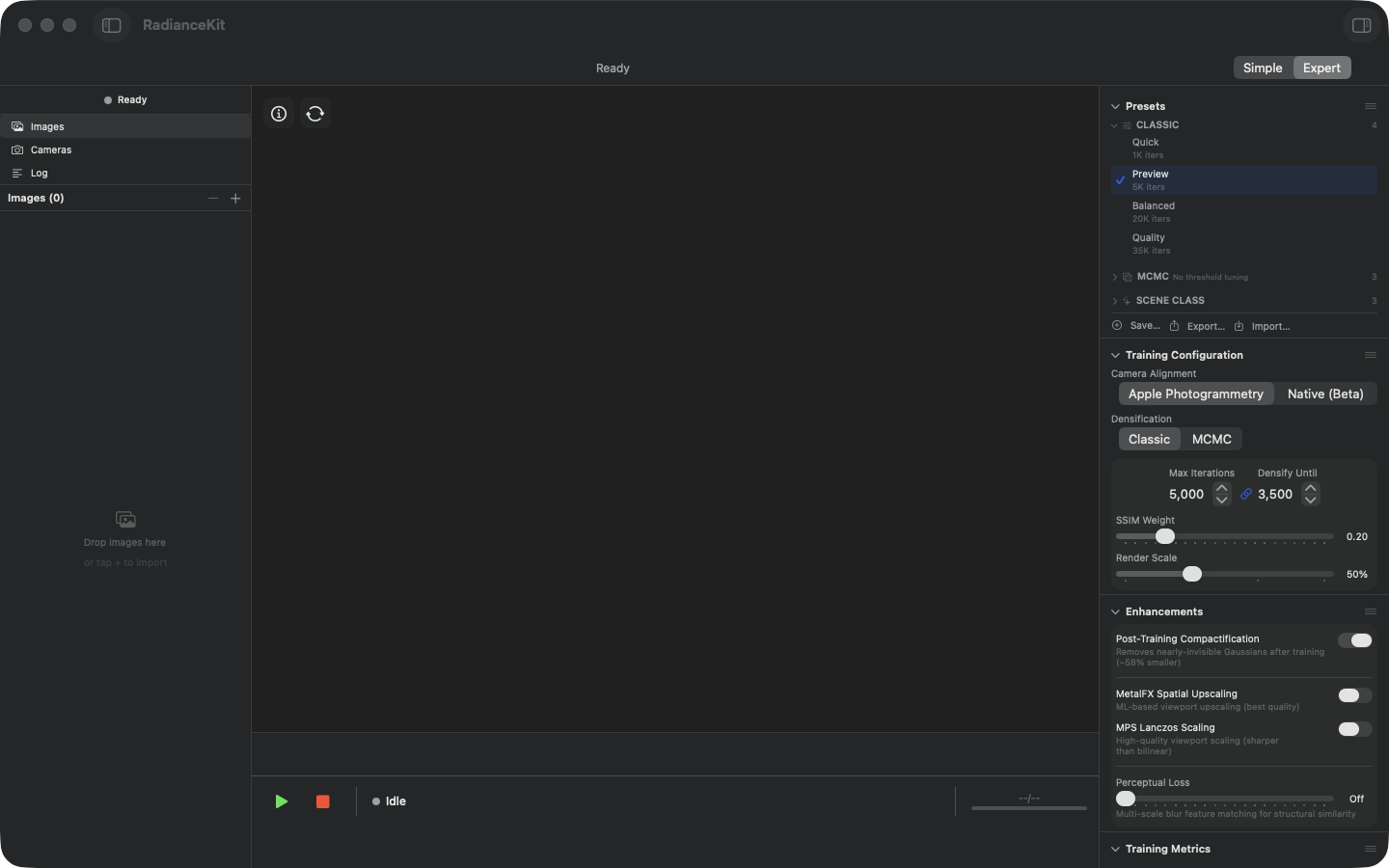
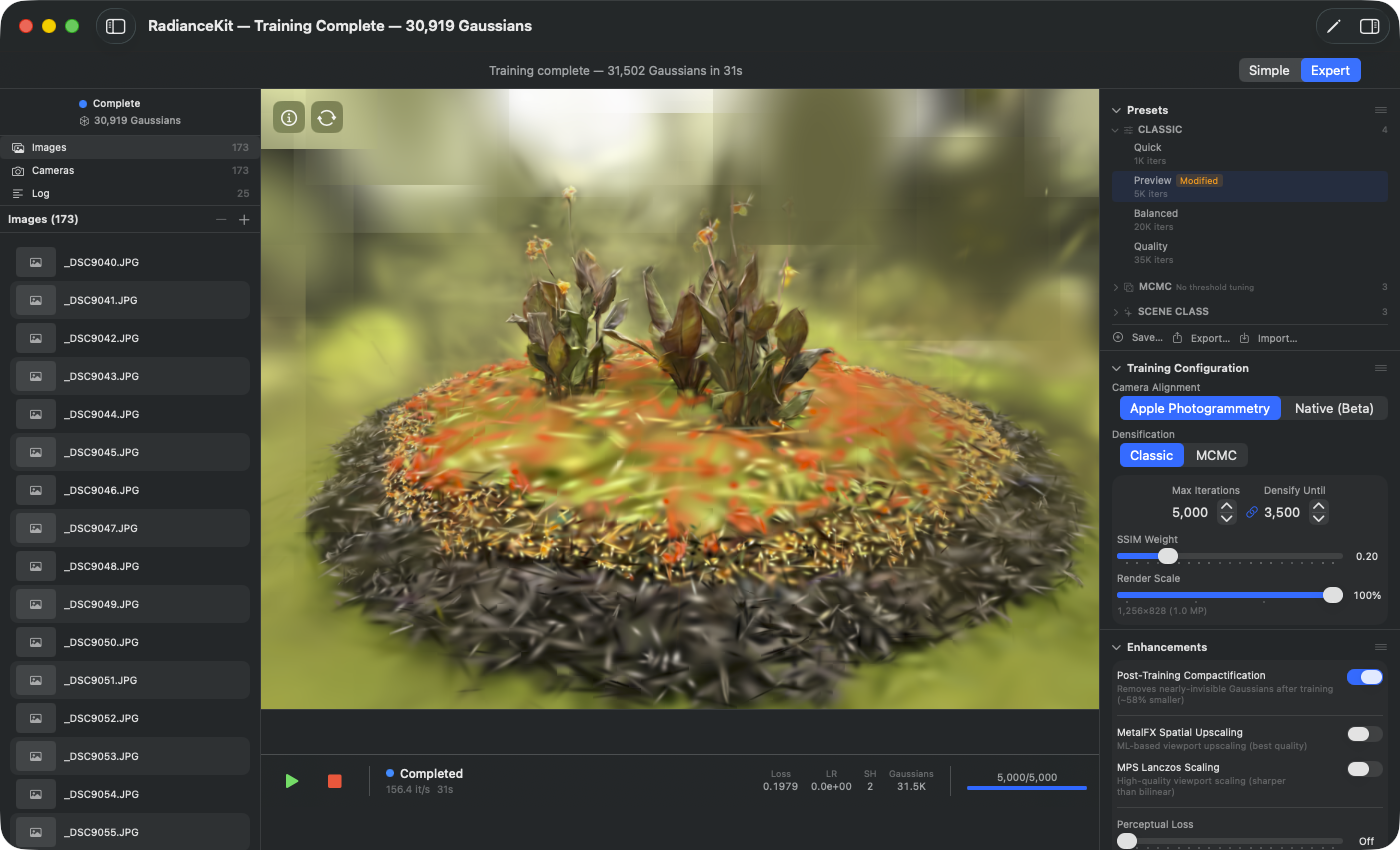
The Camera Alignment picker sits in the Inspector section „Cameras & Capture" and is a dropdown menu, not a segmented control (the backend names are too long for segments and would overflow the narrow Inspector column). How many entries it has depends on the build: the App Store version shows exactly two — Apple Photogrammetry (default) and Native. COLMAP is entirely absent as a backend there and only appears in developer/DMG builds as a third entry (see Q2). The native entry is simply called „Native"; the former „(experimental)" or „(Beta)" suffix has been removed — Native is no longer an experimental path but the quality path. It is strong for ground-level orbit and photo scenes, but currently weak for aerial/drone mapping (point cloud too sparse); Apple Photogrammetry remains the safe default. If an unordered photo set is chosen as the capture type, the app always aligns with Native, no matter what the picker shows — a hint line below the picker states this explicitly, and the picker remains operable because its value is not unavailable, merely overridden. External SfM results from Metashape, COLMAP or another photogrammetry software can additionally be imported via the File menu (Q3 COLMAP text format, Q6 Workspace import) — the picker does not switch, but the imported poses replace the SfM result. This import has nothing to do with the COLMAP backend question and works in every build.
SfM stands for Structure from Motion. From a set of overlapping photos, the software reconstructs the position and viewing direction of the camera for each image within a shared 3D coordinate system. In the process, a rough 3D point cloud is generated, which initialises training with Gaussian Splatting. The SfM result is the input for the actual training and largely determines the later image quality.
RadianceKit offers five SfM paths: two backends built into the app (Q1 Apple Photogrammetry, Q4/Q5 Native), two import paths from external tools (Q3 COLMAP text format, Q6 binary workspace import), and Q2 COLMAP binary, which is only available in developer builds outside the App Store. Which one is right depends on the scene type (orbit around an object, interior, drone flight) and whether an external software already provides a reconstruction.
Q1 — Apple Photogrammetry
WHERE
Expert View → Inspector → „Cameras & Capture" section → Camera Alignment picker, entry „Apple Photogrammetry". Default in every build.
TECHNICAL
Wraps Apple's built-in Photogrammetry framework, originally developed for Object Capture. Apple internally extracts features using a proprietary pipeline (the steps are not publicly documented), verifies them via multi-view matching and solves bundle adjustment on the Apple Silicon Neural Engine + GPU. The backend is fully App Store-compliant (no external binary, Sandbox=true, on-device), but only delivers camera poses plus a rough point cloud — no diagnostic metrics such as track length or reprojection error. Scales, per Apple's recommendation, up to a few hundred images. Above ~500 frames in linear drone flights or large outdoor scenes, reproducible crashes or silent dropping of individual cameras have been observed.
Q3 — COLMAP text format (Metashape / ETH3D)
WHERE
Menu „File → Import COLMAP / Metashape Workspace…" (Cmd+⇧+I) OR drag-and-drop a folder containing sparse/0/cameras.txt.
TECHNICAL
Reads the standardised COLMAP text export — three text files cameras.txt, images.txt, points3D.txt in the sparse/0/ subfolder — and converts it into the internal SfM result model. Same format definition as the COLMAP binary export, just ASCII instead of binary. Is output in exactly this layout by Agisoft Metashape, RealityCapture, PolyCam and the ETH3D benchmark. The parser shares camera model detection with the binary parser and knows all eleven standard COLMAP camera models — from SIMPLE_PINHOLE and PINHOLE through SIMPLE_RADIAL (COLMAP's own default) and OPENCV to the fisheye variants. Robust against comment lines and blank lines. Scales in tests to ~1,400 cameras (ETH3D Tunnel) without issues.
Q4 — Native SfM (incremental)
WHERE
Expert View → Inspector → „Cameras & Capture" section → Camera Alignment picker, entry „Native" (without the former „(experimental)" suffix). Incremental is the default mode of this backend; there is no mapper selection for Native. The „Mapper" line below belongs exclusively to COLMAP: in developer builds it is visible but greyed out as long as Native is selected, while in the App Store version it is missing entirely. The truly native lines — „FOV Override", „High-Quality" and „Native SfM Recipe" — no longer disappear under other backends but remain greyed out and state, in a line below, what you need to change to unlock them again. You cannot switch between the incremental and the global method yourself: incremental is fixed as the default, and the app only switches to the global method on its own (see Q5).
TECHNICAL
Custom GPU-accelerated implementation of the entire SfM pipeline: FAST+BRIEF features OR SuperPoint+LightGlue via CoreML (enabled via the „High-Quality" toggle; already active for unordered photo sets anyway), followed by Hamming KNN matching, RANSAC fundamental matrix, track building, initial-pair selection, two-view bootstrap (F→E plus DLT), a greedy incremental mapper with PnP registration and multi-view triangulation, and a final bundle adjustment via Schur-reduced Levenberg-Marquardt with Huber loss and analytical Jacobians via Cholesky solve. Fully App Store-compliant: no external binary, Sandbox=true. Featuring the built-in collapse detector: it classifies a result as degenerate if fewer than 60% of the input frames were registered, if the points-per-camera rate falls below 13, or if the point cloud is nearly flat. This does not immediately trigger a switch of method — the app first repeats the incremental run (it keeps the first unremarkable result, otherwise the best of the attempts) and only then falls back to the global mapper (Q5) if even the best attempt remains degenerate. Empirically clean on orbit/turntable scenes; on more general motions (drone flight, interiors with complex geometry) the success rate is lower — but the detector catches these cases. Scales reliably to ~200 cameras, higher with significantly longer runtime.
Q5 — Native SfM (global)
WHERE
Invoked automatically when the incremental mapper (Q4) triggers the collapse detector (fewer than 60% of the input frames registered, points-per-camera rate below 13, or a nearly flat point cloud) — and only after the incremental run has been repeated and even the best attempt remained degenerate. It cannot be requested manually: there is no picker for it in the Inspector and no other toggle either — the app decides on its own when to switch.
TECHNICAL
Global variant of the native pipeline. First feature extraction + matching as in Q4, then relative-pose estimation for all verified pairs, followed by rotation averaging (synchronises all camera rotations in the world coordinate system) and translation averaging (LSQR-based on a matrix-free sparse formulation, to avoid integer overflow with large camera counts). Scales to ~5,000 cameras in principle, though in practice quality drops noticeably above a few hundred cameras. Handled as a „fallback tier": it kicks in when the incremental mapper degenerates even after retrying, and is not itself submitted to the collapse detector again — if its result remains sparse, the pipeline's general quality warning appears instead.
Q6 — Metashape / COLMAP text workspace import
WHERE
File menu → „Import COLMAP / Metashape Workspace…" (Cmd+⇧+I). Drag-and-drop a folder containing sparse/0/cameras.{bin,txt} and images/.
TECHNICAL
Automatically detects whether a folder selected via drag-and-drop or the open panel matches one of the three COLMAP workspace layouts (sparse/0/, sparse/, or root) and whether the reconstruction is binary (cameras.bin) or text (cameras.txt). The binary path uses the COLMAP binary parser, the text path the ETH3D loader — both produce the same SfM result model, and the rest of the pipeline (importing images, starting MCMC training) is agnostic to the source. The images are opened security-scoped via the app's sandbox bookmark system, so the import works even in the App Store version. Specifically designed for the case „Metashape export without recomputing the reconstruction". The detection mentioned in the File menu entry logs a warning to the app log if the chosen folder is not a recognisable workspace.
Q7 — Native recipes (Standard / Professional / E3 High-Accuracy)
WHERE
Expert View → Inspector → „Cameras & Capture" section → line „Native SfM Recipe". The line is only operable when Native is selected as Camera Alignment and an unordered photo set is set as the capture type — otherwise it appears greyed out and states below what needs to be changed (the availability rules are in Chapter 2).
TECHNICAL
Three tiers of the same native backend. They don't change the algorithm, but how thoroughly it works:
Standard — the base recipe without additional stages.
Professional — additionally sets two things: detected AprilTag markers are incorporated as rigid bodies in mapping and bundle adjustment, and the finished poses are densely re-triangulated (denser starting point cloud). If the capture contains no markers, the detector finds nothing and only the dense re-triangulation remains effective.
E3 High-Accuracy — builds on Professional and additionally enables the HQ frontend (3×3 SuperPoint tiling, LightGlue with 4096 keypoints, covisibility pairs) as well as joint focal-length refinement across all cameras. This yields the sharpest camera poses and the longest matching runtime.
Which Backend When?
| Scenario | Recommended Backend |
|---|---|
| First result, without overthinking it | Q1 Apple Photogrammetry (default) |
| Object scan, 50–200 photos | Q1 Apple Photogrammetry |
| Maximum quality on the same scene | Preset „Maximum Quality (Native)" — Q4 Native + Q7 recipe E3 |
| Capture with printed AprilTag markers | Q4 Native + Q7 recipe Professional |
| Large outdoor / drone / >500 images | Q6 Workspace import (compute in Metashape or COLMAP, then import) |
| Metashape/RealityCapture export available | Q6 import (no SfM needed) |
| ETH3D / academic COLMAP text set | Q3 COLMAP text import |
| Q4 collapses | Q5 Native Global (switches automatically) |
Quick Comparison
| Backend | App Store | Sandbox | External Binary | Best Use | Max ~Cams |
|---|---|---|---|---|---|
| Q1 Apple PG | ✅ | ✅ | — | Orbit Object | ~300 |
| Q2 COLMAP Binary | ❌ (developer build only) | — | colmap/glomap | Outdoor large | ~5 000 |
| Q3 COLMAP Text Import | ✅ | ✅ | — | Bench rigs | ~1 500 |
| Q4 Native incremental | ✅ | ✅ | — | Orbit Object | ~200 |
| Q5 Native global | ✅ | ✅ | — | Q4 fallback | ~5 000 |
| Q6 Workspace Import | ✅ | ✅ | — | Metashape reuse | per source |